
Download Bingo Caller – bingo caller, bingo game, printable bingo cards, virtual bingo, bingo numbers, bingo game for family, bingo for seniors
Overview
Bingo Caller is a digital tool designed to bring the classic bingo experience into modern homes and gatherings. It eliminates the need for physical bingo cards, number drums, and manual calling, offering a streamlined solution for organizing entertaining games without logistical hurdles. The app is especially useful for family events, senior gatherings, or casual get-togethers where traditional bingo setups may be impractical or unavailable.
With support for up to 100 players, it accommodates both small and large groups, making it a versatile utility for social play. The developer, Ryan J. Boudreaux, has created a focused application that prioritizes simplicity and accessibility.
Although the developer did not provide additional technical details, the app’s long-standing presence since 2017 suggests reliability and sustained user interest. Real-world use cases include birthday parties, church events, senior center activities, and virtual game nights. In the broader app ecosystem, Bingo Caller fills a niche for lightweight, no-frills entertainment tools that enhance social interaction without requiring complex setups.
Its free availability and minimal size make it accessible to a wide audience, particularly those seeking low-barrier ways to engage in group fun.
Key Features & Functionality
- Virtual Bingo Setup: Enables users to launch a full bingo game digitally from any location. Ideal for remote or in-person events where physical materials are unavailable.
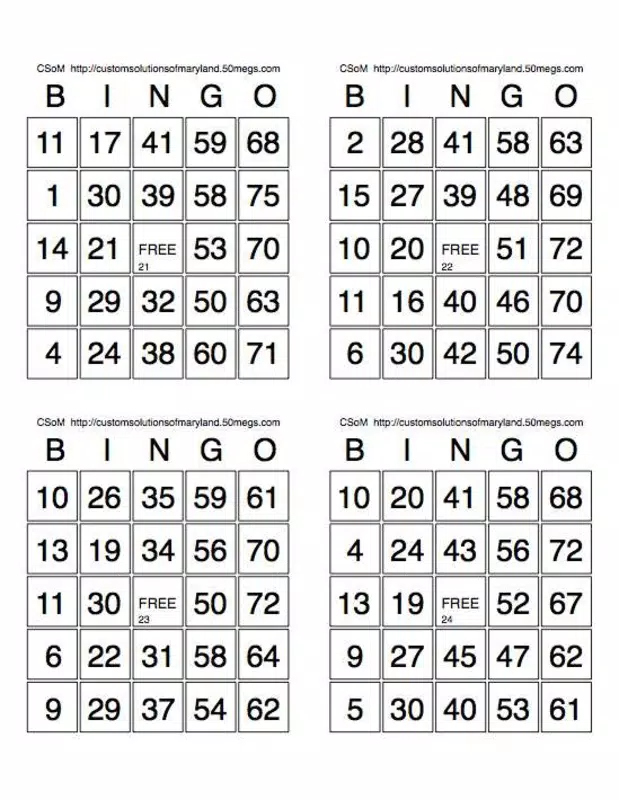
- Printable Bingo Cards: Generates customizable bingo cards that can be printed for offline use. This feature removes the need for manual card creation or purchasing pre-made sets.
- Support for Up to 100 Players: Handles large groups efficiently, ensuring scalability for community events, family reunions, or online gatherings.
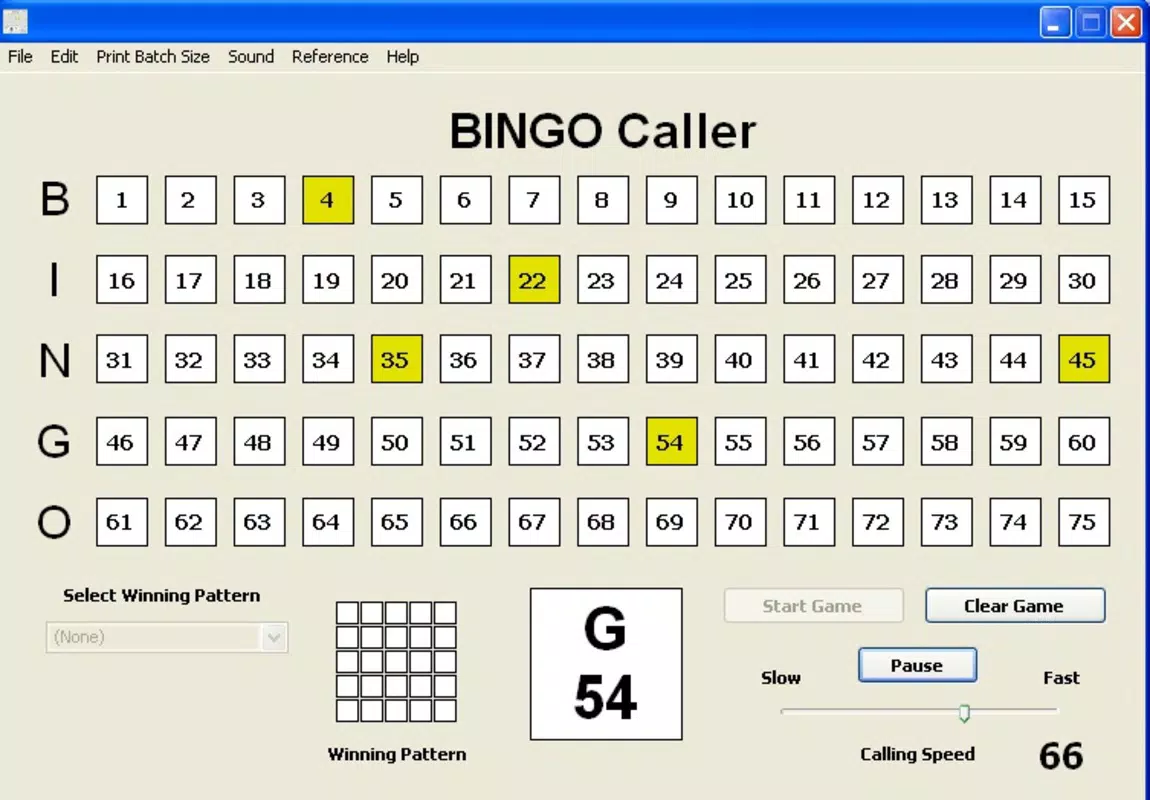
- Speed Adjustment Feature: Allows users to control the pace of number calls, accommodating players of different ages and cognitive speeds.
- English Audio Announcements: Provides spoken number calls in English, enhancing authenticity for traditional bingo players.
For example, a senior center could use Bingo Caller to host weekly games with minimal staff effort. The organizer selects the game mode, adjusts the speed for slower-paced play, and prints cards for attendees. The app then calls numbers aloud at the chosen pace, creating a familiar and inclusive experience.
Similarly, a family gathering can use the app to run a themed bingo game during a holiday celebration, with customizable card designs adding a personal touch. The ability to manage game speed ensures that all participants, including older adults or children, can follow along comfortably. These features collectively support a seamless, authentic bingo experience with minimal preparation and maximum engagement.
Interface, UX & Performance
The user interface of Bingo Caller appears to be designed with functionality over flair, prioritizing ease of access to core features. The layout likely follows a straightforward navigation pattern, allowing users to quickly start a game, adjust settings, and access card printing options. Visual style is minimalistic, focusing on clarity and usability rather than elaborate graphics.
Navigation flow seems intuitive, with essential controls such as number calling, speed adjustment, and print functions placed within easy reach. The app’s lightweight size of 2.4M suggests optimized performance, which typically translates to fast loading times and smooth operation across various Android devices. Although the developer did not list formal performance metrics, the app’s continued availability and low file size indicate stability and efficient resource use.
Responsiveness is likely consistent, even on older or mid-range smartphones. The app runs without requiring excessive permissions, which contributes to a secure and predictable user experience. While specific compatibility details were not disclosed, the app’s long-term presence suggests compatibility with a broad range of Android versions.
Overall, the UX appears tailored to users who value simplicity and reliability in a digital entertainment tool.
Platform Compatibility & Technical Requirements
Bingo Caller is available exclusively on the Android platform. The current version is 1.4.1, with a file size of 2.4M, making it a lightweight application suitable for devices with limited storage. The developer did not specify minimum OS requirements, nor did they list exact compatibility details for different Android versions.
As a result, users should verify device compatibility before installation. The app is free to download and install, with no in-app purchases or subscription fees reported. It is designed to function without requiring a constant internet connection, allowing offline use during events.
However, some features like card printing may depend on external tools such as a connected printer or PDF viewer. The app’s small size and free pricing make it accessible to a wide audience, particularly those using budget or older Android devices. While no formal testing data was provided, the app’s long-standing release since 2017 suggests consistent functionality across multiple device categories.
Pros and Cons
Pros
- Free to download and use with no hidden costs
- Lightweight size (2.4M) ensures compatibility with older or low-storage devices
- Supports up to 100 players, ideal for large group events
- Printable bingo cards eliminate the need for manual creation
- Speed adjustment allows customization for different player needs
- English audio announcements provide a traditional bingo experience
Cons
- Audio announcements are only in English, limiting accessibility for non-English speakers
- Developer did not provide detailed technical specifications or compatibility requirements
- No information on in-app purchases or update frequency
- Platform availability is limited to Android only
- Interface design details were not disclosed
FAQ
Is Bingo Caller safe to download and install?
Yes, the app is free and available from official Android sources. It does not require excessive permissions and has a small file size, which reduces potential security risks.
Can I use Bingo Caller offline?
Yes, the app is designed to function without an internet connection, allowing you to run bingo games during events where connectivity may be limited.
Does Bingo Caller support multiple languages?
Currently, number announcements are only in English. The developer did not provide information on language customization or multilingual support.
How do I print bingo cards?
The app generates printable cards, which can be saved as PDFs or shared directly for printing. You’ll need a printer and compatible software to produce physical copies.
Is Bingo Caller regularly updated?
The developer did not disclose update frequency. However, the app has been available since 2017, indicating ongoing maintenance and support.
Final Thoughts
Bingo Caller stands out as a dependable, no-frills solution for organizing engaging bingo games at home or in community settings. Its ability to support up to 100 players, combined with printable cards and adjustable game speed, makes it ideal for families, senior groups, and event organizers seeking a hassle-free entertainment tool. The app’s minimal size and free access enhance its accessibility, particularly for users with older devices or limited budgets.
While it lacks multilingual support and detailed technical documentation, its core functionality remains strong and focused. For those looking to recreate the authentic bingo experience without physical components, Bingo Caller delivers value through simplicity and reliability. Whether you're hosting a weekend game night or a weekly senior center event, this app provides a seamless way to bring people together through play.
Download Bingo Caller now


